Skip to product information
1 of 7

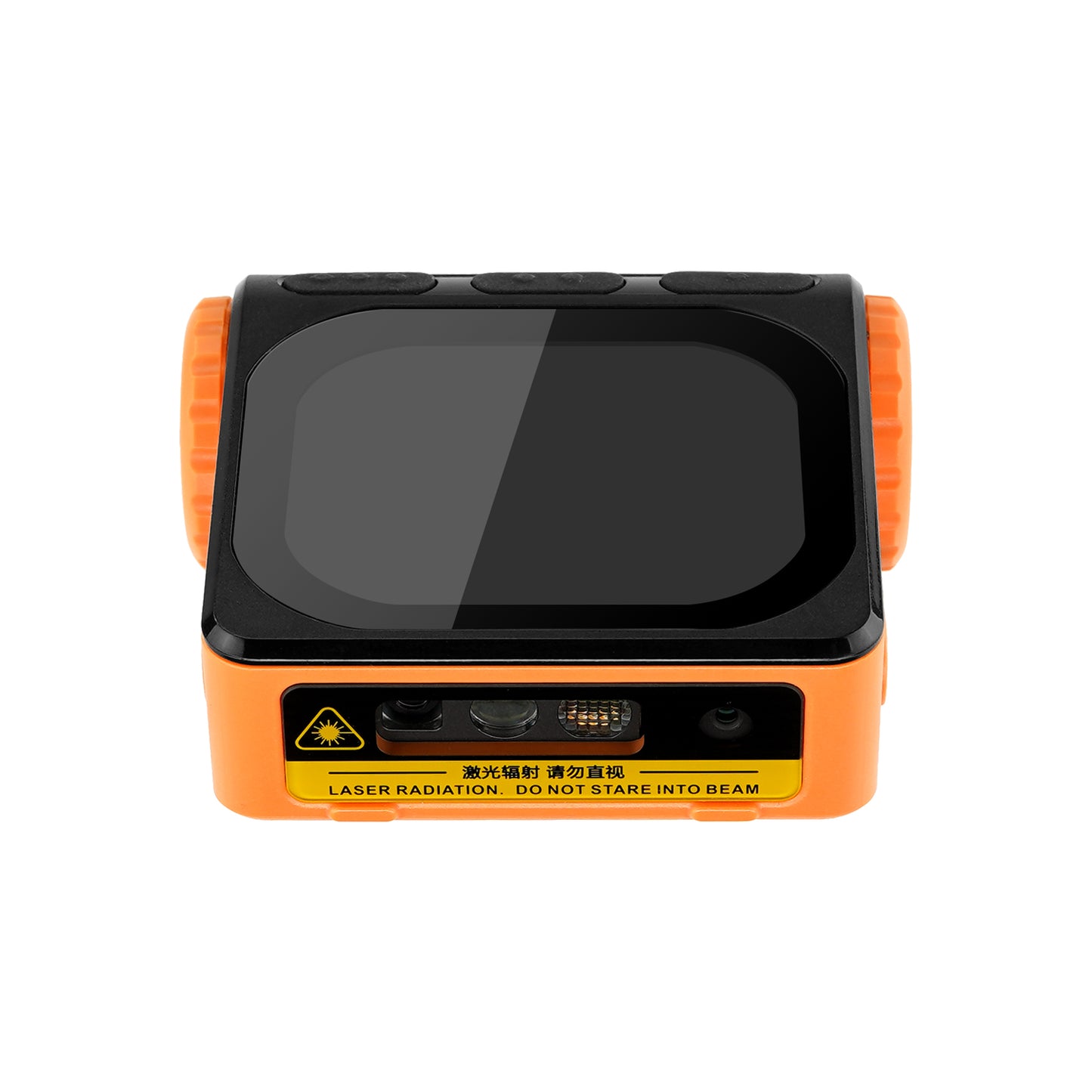
XG910 Wearable Barcode Scanner

Regular price $599.00 USD
Sale price $599.00 USD Regular price $899.00 USD
Shipping calculated at checkout.

Small Batch Purchasing

We support small-batch purchasing, with flexible minimums starting from 5–10 units depending on the product. Pricing varies based on order quantity and the collaboration model. Please feel free to contact us for a quote.

Delivery and Shipping

Order Processing

Orders are typically processed within 1–3 business days.

Shipping Options

We offer two shipping methods: Standard Shipping and Expedited Shipping.

Small-batch orders are shipped by Expedited Shipping by default.

If an item is temporarily out of stock, production will be arranged immediately. Estimated shipping time is 1–10 days.

For full details, please review our Shipping Policy or contact us at any time.

30 Days Returns

If you’re not completely satisfied with your purchase from NETUM, you can return it for a replacement, exchange, or refund at any time within 30 days of purchase.
Read our return policy here.

Warranty

1 year warranty. No matter where you purchase it, we provide 24/7 customer support.

Overview

XG910 Smart Wearable Android Barcode Scanner, Hands-Free PDA Terminal with 2D Scanner, Android 14, 2.2GHz Octa-Core, 4GB+64GB, IP68 Waterproof, Wi-Fi 5, Bluetooth 5.0 for Warehouse & Retail.

Key Features

  1. Hands-Free Efficiency, Lightweight Design
    The XG910 is one of the world’s lightest enterprise-grade wearable Android terminals—just 105g. Its ergonomic design frees both hands for faster, safer, and more efficient workflows in retail, warehouse, and production environments.
  2. Powerful Performance with Android 14
    Equipped with a high-speed octa-core 2.2GHz AI processor, 4GB RAM, and 64GB ROM, the XG910 delivers smooth multitasking and fast data processing under Android 14, ensuring stable operation even in intensive industrial applications.
  3. Professional-Grade Scanning Capability
    Integrated with an advanced 1D/2D barcode engine that accurately reads all common symbologies—including QR Code, Data Matrix, PDF417, and UPC/EAN—from 4cm to 70cm. Scan faster and more precisely on any medium.
  4. Rugged and Reliable for Industrial Use
    Built to IP68 standards with 1.5m drop resistance, the XG910 is engineered for demanding environments. The 2600mAh hot-swappable battery supports long working hours with minimal downtime.
  5. Seamless Connectivity and Visual Experience
    Features dual-band Wi-Fi (2.4G/5G) with 802.11 a/b/g/n/ac, Bluetooth 5.0, and an 800-lumen Gorilla Glass OLED touchscreen for excellent outdoor visibility and responsive multi-touch control.

⚙️ Technical Specifications

Physical Characteristics

  • Dimensions: Main unit 60 × 52 × 16 mm; Base 78 × 68 × 24 mm
  • Weight: 105 g (without glove)
  • Display: 320×600 OLED, 800 lumens brightness
  • Touch Panel: Corning Gorilla Glass, multi-touch capacitive
  • Camera: 8 MP autofocus
  • Battery: 3.7V 2600mAh lithium, removable, hot-swappable
  • Charging: Base charging, 5V/1A
  • Notification: RGB LED (red/green/blue), sound & vibration feedback
  • Speaker: Up to 90 dB volume
  • Keys: Power, scan, and function buttons
  • Interface: 10-pin pogo connector

Performance

  • Processor: ARM Cortex-A76 Octa-core 2.2GHz
  • Operating System: Android 14
  • Memory: 4GB RAM + 64GB ROM

Scanning Performance

  • Field of View: 42° (H) / 28° (V)
  • Scan Rate: 50 fps
  • Resolution: ≥3 mil, 1280×800
  • Supported Codes:
    • 1D: UPC/EAN, Code128, Code39, Interleaved 2 of 5, Codabar, MSI, etc.
    • 2D: QR, Micro QR, Data Matrix, PDF417, Aztec, Postal codes (US, UK, JP, NL).
  • Reading Distance: 4–70 cm (depending on barcode density and type)

Connectivity

  • Wi-Fi: 802.11 a/b/g/n/ac, dual-band 2.4G/5G
  • Bluetooth: 5.0 with BLE

Environmental

  • Operating Temperature: -10°C to +50°C
  • Humidity: <80%
  • Drop Resistance: 1.5m
  • Tumble Test: 0.5m × 500 cycles
  • Protection Rating: IP68

Included Accessories
Main unit ×1, Glove mount ×1, Charging base ×1, Data cable ×1

Downloads

Manuals, software, and developer resources selected for this exact model.

10 resources

NETUM Keyboard for Android

BLE-capable NETUM Bluetooth barcode scanners
AppVersion 5.162024-05-05
Android keyboard application for barcode scanners that can operate in Bluetooth BLE mode.

Android Bluetooth BLE SDK

BLE-capable NETUM barcode scanners
Sdk
Android development package for Bluetooth Low Energy scanner communication.

Android Bluetooth SPP SDK

SPP-capable NETUM barcode scanners
Sdk
Android development package for Bluetooth SPP scanner communication.

Bluetooth SDK for Apple iOS

Compatible NETUM Bluetooth barcode scanners
Sdk
iOS development package for supported NETUM Bluetooth scanners.

MQTT Communication Server Setup

Document
Guides for MQTT server setup, scanner configuration, connection ports, topics, client ID settings, and barcode transmission.
Server Setup GuideOnline guide
Original theme path: /pages/ds2800-wi-fi-scanner-mqtt-communication-server-construction-and-setup-steps
MQTT Configuration GuideOnline guide
Original theme path: /pages/mqtt-configure-for-ds2800-wi-fi-barcode-scanner
Connection Port GuideOnline guide
Original theme path: /pages/configure-the-mqtt-connection-port-for-the-wi-fi-barcode-scanner
Topics & Client ID GuideOnline guide
Original theme path: /pages/configure-the-mqtt-publish-topic-subscribe-and-client-id-for-the-wi-fi-scanner

Will this barcode scanner work with my computer, mobile device, or POS system?

Usually, yes—if the connection interface matches your device or the scanner supports USB HID keyboard mode. Some POS systems only accept approved USB VID/PID values, so they may reject an otherwise compatible HID scanner. Check which type your POS uses, or send us the POS model and software name before ordering.

Which barcodes can it read, and can it scan from a phone or computer screen?

Barcode support varies by model. Devices with a CMOS scanning engine can scan barcodes on a computer screen; otherwise, they cannot.

How do I connect the scanner?

For a wired scanner, connect the USB cable and start scanning—most models are ready to use right away. For a wireless scanner, follow the model’s manual to connect by 2.4G receiver or Bluetooth. Pairing steps can differ between models, so use the correct guide in Downloads.

Can I scan directly into Excel, inventory software, or a POS system?

Yes, in most cases. When the scanner is using HID keyboard mode, scanned data appears wherever the cursor is active, such as in Excel, inventory software, or a POS input field. Workflows that use serial communication, an API, or an SDK may need extra setup. Check the communication modes in the Specifications and any available software or SDK in Downloads.

The scanner beeps, but no data appears—what should I check?

A beep usually means the barcode was read, but the data is not reaching the active field. Click inside a blank field in Notepad, TextEdit, or your POS and scan again. Then check the USB cable, 2.4G receiver, or Bluetooth connection and confirm the correct interface mode. If it still does not work properly, please contact us and provide the scanner model, a description of the problem, and the operating system and application name.

Barcode scanners for your business

Planning a rollout, replacement, or bulk purchase? Share your requirements and we’ll help you choose the right scanner and configuration.

Request a quote

Tell us the model(s), quantity, use case, barcode types, connection or integration needs, customization requirements, and delivery destination. We’ll review the details and recommend a suitable solution.

If you are unsure, tell us what and where you need to scan.

Include your application, barcode types, connection or integration needs, customization requests, and target delivery date.